
Why Most Jobsite Software Fails (And How to Fix It)
If you’ve ever tried to roll out jobsite software to your field crews, you already know how the story ends.
You buy a subscription to a flashy new construction app. You hand an iPad to your foreman. They open the app on a sunny jobsite, get hit with a login screen, waste fifteen minutes tracking down a cumbersome password, only to find a blank screen staring back at them. To actually use the tool, they have to spend hours uploading files, scaling PDFs, and configuring settings.
They get frustrated, throw the iPad back into the truck, and pull out a battered, coffee-stained paper master set.
At OcuBuild, we know that jobsite software built for an office desk fails in the field. If an app requires your crew to do administrative heavy lifting, it’s not a tool—it’s a timesink.
We built PlanMark™ under a simple rule: The field should have immediate access to the information they need. Here’s how we built our tools for the jobsite:
Designing Jobsite Software for the Dirt
- Zero Logins: Your foreman doesn’t need to juggle usernames and passwords. iPads are registered to your company just once from the office console. From then on, the app securely recognizes your device when your crew taps the screen.
- 100% Offline Capability: Jobsites have terrible cellular reception. PlanMark stores everything locally. Your crew only needs to sync online every few days to automatically pull down the latest plans. Then they can work the entire day with zero internet connection.
- Outdoor-Friendly Interface: Sunlight kills standard app visibility. We use high-contrast, bright colors designed specifically to stand out against dirt, wood, and concrete. (We’ll even recommend the exact anti-glare accessories and rugged cases our field teams swear by).
- Lot-Specific Simplicity: We don’t hand your crews a blank app and wish them luck. Our team of CAD technicians handles the data prep for you. We distill messy, 50-page builder master sets into a single clean, lot-specific drawing.
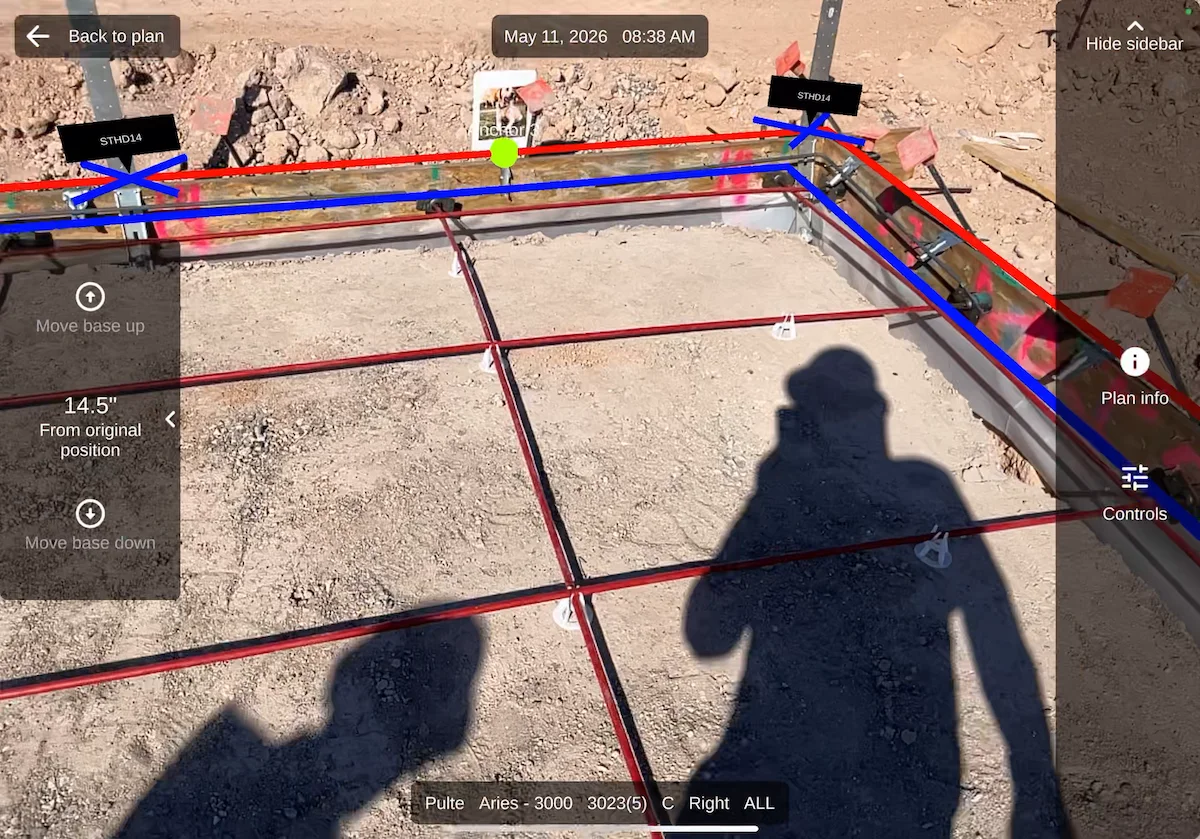
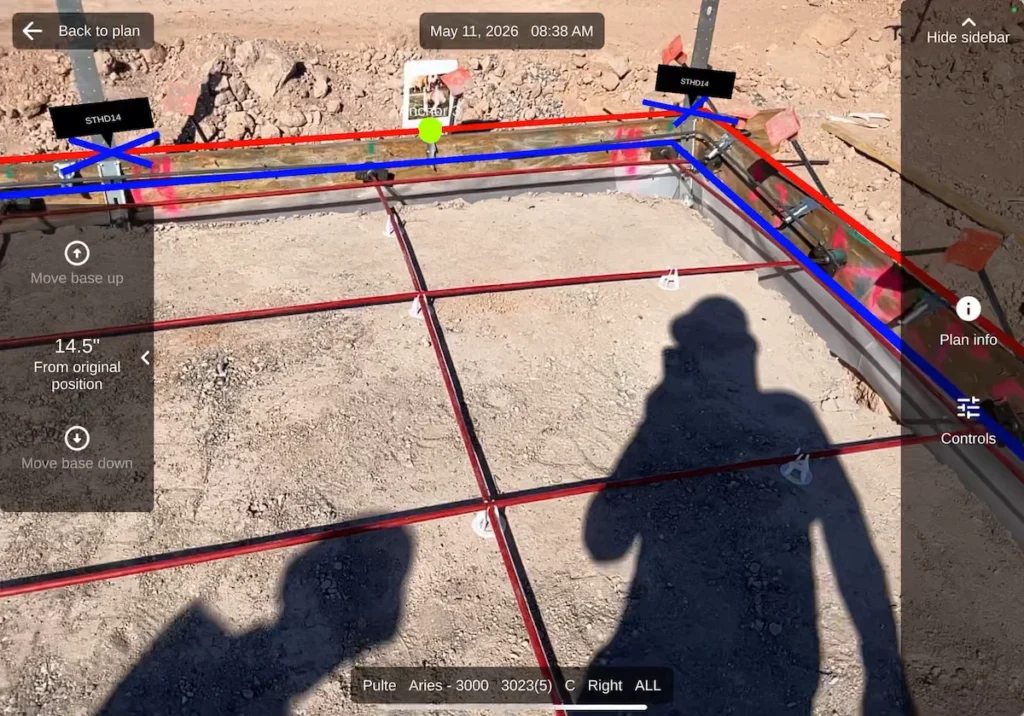
What your crews see on the screen is exactly what they build in the dirt. No more flipping between pages to mentally combine options, elevations, and hardware schedules. They get a streamlined layout showing exactly where every form board, footing, anchor bolt, and strap belongs.
We even give them a real-time AR visual overlay to double-check their work before the concrete truck arrives.
If you want jobsite software to actually get adopted, you have to stop asking your foremen to use tools designed for an office. Give them tech built for the jobsite.